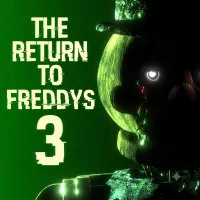
The Return to Freddy's 3










The Return to Freddy's 3
SURVIVE THE NIGHT AT FAZBEAR FANTASY LAND
The Return to Freddy's 3 is a fan-made survival horror game inspired by Five Nights at Freddy's. Set in Fazbear Fantasy Land, the game puts you in the role of Blake Trent, who must deal with dangerous animatronics inside the entertainment complex. Instead of exploring rooms or fighting enemies directly, you rely on surveillance cameras and office systems to stay alive.
Lockjaw is one of the main threats, but other familiar and original characters can also put your shift at risk. Every decision matters because watching the cameras alone is not enough. You must also keep essential defenses working while the animatronics move around the building.
HOW TO USE CAMERAS AND OFFICE SYSTEMS
Survival in The Return to Freddy's 3 depends on how well you manage several connected systems. Each one serves a different purpose, so understanding their functions is more useful than repeatedly checking the same screen.
- Monitor the cameras: Check the available camera feeds to track animatronic movements. Knowing where a threat is can help you decide when to use a defensive system.
- Use the Signal Panel: This panel provides access to special functions, including Corrupt Signal, which targets certain animatronics. Its options also help restore systems when they fail.
- Manage the doors: You can close a door by double-clicking its corresponding camera on the monitor. However, keeping doors locked for too long can cause the Door Lock System to fail, forcing every door open.
- Restore damaged systems: The Door Lock System and Light System can develop faults. Use the Signal Panel to address these problems before they leave you without essential defenses.
These mechanics work together rather than independently. Spending too long on one task can leave another problem unattended, so you need to check the situation and respond to the most urgent threat.
Controls and Survival Advice
The TRTF 3 primarily uses mouse-based interaction with its camera monitor and office interface. The exact controls may vary between the original Windows release and browser versions, so check the instructions shown by the version you are playing.
Keep these principles in mind during a shift:
- Check threats before reacting: Use the camera feeds to understand where an animatronic is before choosing your next action.
- Avoid unnecessary door use: Close doors when needed rather than leaving them locked for extended periods.
- Fix system failures promptly: A damaged defense can become a bigger problem if you leave it unattended.
- Learn each panel function: Knowing what an option does helps you react without wasting time during a dangerous moment.
RELATED GAMES