Five Nights at Freddy's Scratch



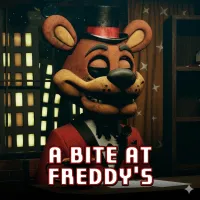





Five Nights at Freddy's Scratch
STEP INTO A SCRATCH-BUILT FREDDY FAZBEAR NIGHT
Five Nights at Freddy's Scratch recreates the core idea of the classic FNAF formula in a 2D Scratch-made experience. You take the role of a night guard who must monitor dangerous animatronics while trying to make it through the night. The familiar survival setup remains, but changes to some cameras give this version its own layout.
If you enjoy watching security feeds and reacting to moving animatronics, start the game and see how this Scratch version changes the familiar formula.
LEARN TO TRACK ANIMATRONICS AND SURVIVE
The safest approach in Five Nights at Freddy's Scratch is to treat the cameras as your main source of information. Check their locations regularly and use what you see to decide when you need to react.
- Check the cameras: Switch between available feeds to keep track of animatronic movement. Some camera locations differ from the original game, so learn the layout instead of relying on memory.
- Watch for movement: Pay attention whenever an animatronic changes position. Knowing where they are helps you react before they reach your area.
- React instead of guessing: Do not waste actions when nothing has changed. Watch the feeds, recognize movement, and respond when the situation requires it.
- Adapt to the modified layout: Familiar FNAF knowledge can help, but this version includes altered cameras. Use the information on screen rather than assuming every location works exactly like the original.
The animatronics are designed to be avoided in a way similar to the original FNAF, while the changed camera setup adds a small learning curve for returning players.
Controls
- WASD: Move between available controls and interact with the office.
- Mouse: Use the cameras and interact with buttons or interface elements.
- Space: Perform the assigned interaction when available.
- S: Check or manage the surveillance system.
EXPLORE MORE GAMES LIKE FIVE NIGHTS AT FREDDY'S SCRATCH