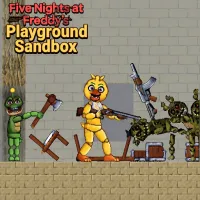
Five Nights at Freddy's Playground Sandbox





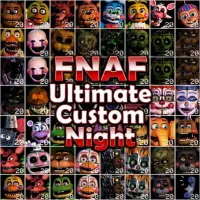
Five Nights at Freddy's Playground Sandbox
TURN FNAF CHARACTERS INTO YOUR PLAYGROUND
Forget the usual night-shift format. Five Nights at Freddy's Playground Sandbox is a creative physics sandbox where familiar animatronics become part of your own experiments. Rather than following a fixed storyline, you can arrange characters, objects, weapons, and structures to create custom scenes. If you enjoy controlling how a sandbox situation unfolds, this game gives you plenty of room to experiment.
HOW TO PLACE CHARACTERS AND OBJECTS
There is no single route to complete. Choose items from the available menu and place them around the playground, then adjust the setup until it works the way you want.
- Place animatronics: Add FNAF characters to different positions and arrange them around your scene.
- Build the environment: Use structures and objects to create rooms, barriers, platforms, or other setups.
- Add equipment: Give characters weapons, clothing, or other items to change the situation you are creating.
- Move and manipulate objects: Drag characters and objects around the scene to position them exactly where you want.
- Trigger physical reactions: Activate objects and watch characters respond to impacts, movement, explosions, and other forces.
Experiment With Ragdoll Physics
The physics system is where Five Nights at Freddy's Playground Sandbox becomes especially flexible. Characters can be pushed, knocked around, and affected by nearby objects, while breakable elements can react to impacts. Try changing the position of a character, adding different objects, or rebuilding the same scene to see how the result changes.
Controls
- Left Mouse Button – select and place objects
- Mouse Drag – move characters and objects
- Touchscreen – select and manipulate items on supported devices
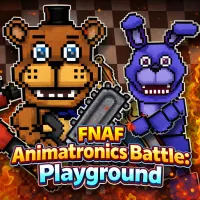
MORE SANDBOX GAMES WITH FNAF CHARACTERS