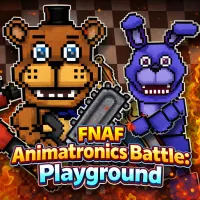
FNAF Animatronics Battle: Playground





FNAF Animatronics Battle: Playground
CREATE YOUR OWN FNAF BATTLE ARENA
FNAF Animatronics Battle: Playground is a physics-based sandbox action game built around Freddy, Bonnie, Chica, Foxy, and other animatronics. Instead of following a fixed horror story, you arrange characters, weapons, armor, objects, and traps to create your own mechanical battles. Construction and Combat modes let you switch between setting up a scene and unleashing destruction.
HOW TO SET UP A BATTLE
The main appeal of FNAF Animatronics Battle: Playground comes from controlling what happens inside each arena. Start by placing characters and objects, then prepare the fighters with different equipment before activating the battle.
- Place characters and objects: Select an animatronic or object and click on the arena to position it where you want.
- Equip your fighters: Drag weapons or armor onto an animatronic. Saws, flamethrowers, turrets, helmets, and other equipment can change how each setup works.
- Change character behavior: Double-click an animatronic to open its Action Menu. From there, you can enable manual control, freeze movement, or adjust its behavior.
- Trigger the chaos: Activate weapons and objects to shoot, burn, explode, or knock characters around the arena.
- Complete missions: The Mission Terminal provides tasks that reward you with progression and additional equipment.
Experiment With Physics And Destruction
In FNAF Animatronics Battle: Playground, destruction plays a key role as objects break apart, metal pieces scatter, and weapons react to the environment through physics. This lets you test different setups in each arena instead of repeating the same battle.
Controls
- Mouse - select, place, equip, activate, and interact
- Double-click - open an animatronic's Action Menu
- Drag and drop - attach weapons or armor to characters
MORE FNAF GAMES WITH ACTION AND SANDBOX MECHANICS