Five Nights at Freddy's 3

Five Nights at Freddy's 3

Rating:
9.2 (2,117 votes)
Technology:
HTML5
Platform:
Browser (desktop, tablet, mobile)

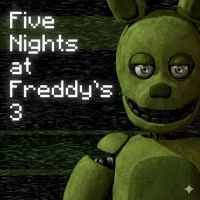
Five Nights at Freddy's 3 is a fan-made browser horror game that puts you on the night shift at Fazbear's Fright: The Horror Attraction. Unlike earlier nights in the series, your office has no doors to hide behind. Instead, you have to monitor cameras, manage three failing systems, control the ventilation, and use audio to keep Springtrap away. Ready to face the fear? Play FNAF 3 online and see if you can survive until 6 AM!

What's Included In The New Version?

The updated fan-made edition expands the experience beyond a basic five-night survival game.

  • Nights 1- 5 with increasing difficulty
  • Nightmare, also known as Night 6
  • Aggressive Nightmare with faster Springtrap movement
  • Springtrap and six Phantom animatronics
  • Phone calls during Nights 1- 6
  • Five 8-bit minigames after Nights 1- 5
  • Six hidden FNAF 3 minigames
  • FNAF 3 good and bad endings
  • A burning newspaper ending after Nightmare
  • Four collectible stars
  • Extras with characters, minigames, jumpscares, and cheats
  • Automatic browser save and LOAD GAME support
  • Keyboard, mouse, and touch controls

Night 1 also contains five short tutorial cards covering the camera, audio lure, ventilation, and maintenance controls. They only appear the first time you play.

HOW TO PLAY FNAF 3

Staying alive means keeping Springtrap under control while managing the attraction's three main systems. Use the cameras, audio lure, vents, and maintenance panel wisely to survive until 6 AM.

  • Monitor Springtrap: Use CAM 01–10 to track him and CAM 11–15 to check the vents.
  • Use PLAY AUDIO: Lure Springtrap toward a nearby camera. The button takes 9 seconds to recharge and drains the audio system.
  • Seal vents: When Springtrap becomes aggressive, seal vents with E/Enter or double-click. CAM 14 and CAM 15 lead directly into the office.
  • Repair systems: Restart audio, camera, ventilation, or all systems from the maintenance panel. Single reboots take 5–10 seconds; Reboot All takes 10–20 seconds.
  • Watch ventilation: A failure causes hallucinations and blackouts, giving Springtrap opportunities to move closer.

FNAF 3 Enemies And How To Handle Them

Springtrap is the only enemy that can kill you, while the six Phantom animatronics mainly disrupt your systems and make survival harder. Each Phantom has a different trigger, so quick reactions are essential.

  • Springtrap: Track him through the cameras, use PLAY AUDIO to lure him away, and watch the vents as he becomes more aggressive.
  • Phantom BB: Appears on certain cameras. Switch away quickly or lower the monitor before looking at him too long.
  • Phantom Mangle: Appears on CAM 04. Avoid watching her for too long to prevent an audio system failure.
  • Phantom Chica: Appears on CAM 07 from Night 3. Her viewing timer builds throughout the night, so limit your time on this camera.
  • Phantom Freddy: Walks past the office window. Open the monitor or maintenance panel while he passes to prevent his attack.
  • Phantom Foxy: May appear on the left side of the office when opening the monitor. Avoid looking toward him after lowering it.
  • Phantom Puppet: Appears on CAM 08 from Night 4. Looking too long locks your controls while Springtrap can keep moving.

FNAF 3 Controls

The browser version supports keyboard, mouse, and touch controls.

Keyboard Controls

  • Arrow Left / Right: Look around
  • Space / S: Open or close the camera
  • Tab / P: Open or close the maintenance panel
  • A: PLAY AUDIO
  • M: Switch between room and vent maps
  • E / Enter: Seal the selected vent
  • 1–0: Select CAM 01–10
  • X: MUTE CALL
  • Esc: Return to the menu or skip a minigame

The minigames use WASD or the arrow keys, with W or Up used for jumping. On mobile, players can drag to look around and use on-screen controls for movement and jumping.

SURVIVAL HORROR NIGHT SHIFT GAMES

Try the fear yourself in Five Nights at Freddy’s, Five Nights at Freddy’s 2, and Five Nights at Freddy’s 4.

Five Nights at Freddy's is a trademark of Scott Cawthon. This is a fan-made browser version, not affiliated with or endorsed by Scott Cawthon.

Frequently Asked Questions

Is This A Full Version Of FNAF 3?

Yes. This version includes Nights 1–5, Nightmare, Aggressive Nightmare, phone calls, five end-of-night minigames, six hidden minigames, multiple endings, four stars, and Extras.

How Long Is A Night In FNAF 3?

Night 1 lasts about 4 minutes. Nights 2–6 take about 6 minutes, while the Fast Nights cheat reduces them to 3 minutes.

Does FNAF 3 Save Progress?

Yes. Progress is saved automatically in the browser, and LOAD GAME lets you continue from the current night. Clearing browser data can remove the save.

Why Isn't Springtrap In Night 1?

Night 1 is designed as an introduction. Springtrap is not inside the attraction yet, and none of the three main systems can fail during this night.

Can The Phantom Animatronics Kill You?

No. Only Springtrap can kill the player. The Phantom characters cause disruptions, damage systems, and can make Springtrap more aggressive.

How Do You Unlock The Hidden Minigames?

The six secret minigames are unlocked through different actions, including the BB drawing on CAM 08, the 1-3-2-4 arcade sequence, four hidden cupcakes, the 395248 code, Shadow Bonnie, and the Puppet drawing on CAM 03.

How Do You Get The Good Ending?

Find the cake in Mangle's Quest, give it to the four crying children through the required minigames, complete Happiest Day, reach the party table, and then beat Night 5. The secret progress must be completed in the same playthrough.

How Do You Get The Fourth Star?

Beat Aggressive Nightmare. This mode becomes available in Extras > Cheats after earning the second and third stars.

Does FNAF 3 Have Custom Night?

No. The Extras menu contains three cheats and Aggressive Nightmare, but there is no Custom Night mode.

Do Cheats Affect Stars?

Yes. Winning a night while a cheat is active does not award a star. Cheats also do not work during Night 1 or Aggressive Nightmare.

Is FNAF 3 Scary?

FNAF 3 unblocked features jumpscares, loud sounds, and flashing lights, so keep these effects in mind before playing, especially if you are sensitive to them.