FNAF Free














FNAF Free
FNAF Free brings the chilling world of Five Nights at Freddy's to your browser for a tense night-shift challenge. This full version of the first game, also known as FNAF 1, lets you play directly in your browser with no download on desktop, tablet, or mobile. Your goal is to survive five nights at Freddy Fazbear's Pizza, with the 6th Night and Custom Night adding more challenges.
Enter FNAF Free - #1 Horror Survival Game - with No Barriers!
Step inside the nightmare with FNAF Free, a famous first-person horror survival game that keeps players on edge. Night falls, the pizzeria transforms, and unseen threats lurk in every shadow. The core loop is simple but intense: monitor the animatronics, manage your limited power, and survive until morning. With suspense escalating each night, you’ll need sharp focus and nerves of steel to last.
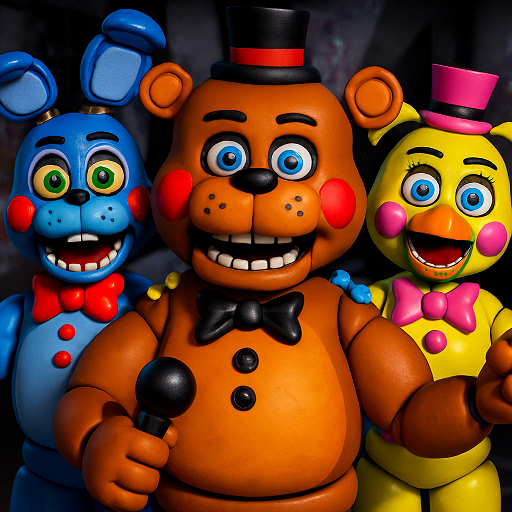
FNAF Free: #1 Ranked Among Horror Survival Greats!
Get ready to experience the original Five Nights at Freddy's thrill without any downloads. Start exploring the haunted pizzeria today, survive the nights, and discover why millions love this iconic horror series. Ready to face the animatronic nightmare firsthand? Click to begin your journey in FNAF Free now!
Brief Overview of Five Nights at Freddy's
Factor | Detail |
Original Creator | Scott Cawthon |
Release Date | August 8, 2014 (the original game) |
Play here on | Browser on desktop, tablet and mobile |
Core Loop | Survive nights (from 12 AM to 6 AM) while monitoring animatronics and managing limited resources. |
Why Viral | Iconic characters’ jump scares, tense gameplay, and immersive horror mechanics. |
This Version | Fan-made browser Complete Edition (HTML5) |
Nights | Nights 1–5, 6th Night, Custom Night (with 4/20 mode) |
Night Length | About 9 minutes (89 seconds per in-game hour) |
Free Play Advantage: Why This FNAF Version Hits Different
FNAF Free removes every barrier for players who want instant horror. There are no downloads, installs, or setup steps required. You open your browser and immediately enter the dark security office. Everything loads fast and runs smoothly on most devices. This simple access lets anyone jump into the classic survival loop without delay.
This unblocked game also fits every type of horror fan. New players can try the series effortlessly, while veterans can relive the tension with zero preparation. Progress saves automatically in your browser, and the Continue button lets you pick up where you left off. Keep in mind that deleting browser data or using an incognito tab can interrupt saved progress. With no download required, Five Nights at Freddy's online delivers direct scares right from your browser.
What's Included in This Five Nights at Freddy's Complete Edition
This Five Nights at Freddy's game introduces the full FNAF 1 experience to your browser, going beyond the standard five-night challenge. From extra nights and adjustable animatronic difficulty to hidden screens and bonus content, the FNAF 1 game offers plenty to discover after your first shift ends.
- Nights 1–5: Survive five increasingly difficult shifts at Freddy Fazbear's Pizza.
- Night 6: Unlock an extra challenge after completing Night 5.
- Custom Night: Adjust all four animatronics from AI levels 0–20; 4/20 mode sets all four to level 20.
- Phone Guy Calls: Hear nightly guidance or silence calls using "MUTE CALL."
- Golden Freddy and Rare Screens: Find Golden Freddy, 14 rare screens, three endings, and three stars.
- Extras Menu: Unlock three cheats, replay six jumpscares, and explore the rare-screen gallery.
- Night 1 Tutorial: Learn basic controls through five skippable tutorial cards.
- Full Sound Design: Hear fans, footsteps, Freddy's laugh, and outage music-box sounds. Headphones are recommended.
- Automatic Saving: Resume saved progress unless browser data is cleared or incognito interrupts saving.
The Story Begins with Midnight Terror Awaits
The Haunted Pizzeria Files
Five Nights at Freddy's is set in Freddy Fazbear’s Pizza, a family restaurant with animatronic performers. While it looks innocent during the day, the night hides dark secrets. Missing children, strange noises, and eerie behaviors plague this building’s dark history. Each night reveals new secrets, keeping tension and suspense high for every shift.
A Night Guard’s Fate
As Mike Schmidt, the night guard at Freddy Fazbear's Pizza, your job sounds simple: survive five nights. In reality, every shift brings new dangers as the animatronics grow more aggressive with each passing hour. Around 3–4 AM, their movements become more threatening, leaving you less room for mistakes. Your power drains gradually based on which systems you use, so every camera check and door light matters. Careful resource management and quick decisions are your best chance of reaching 6 AM without a jumpscare.
Phone Guy's Nightly Calls
Phone Guy is a former security guard who calls you at the beginning of Nights 1–5 in FNAF Free. His recordings explain the restaurant's rules, share survival tips, and reveal details about Freddy Fazbear's Pizza. Night 1's call introduces essential mechanics, making it worth hearing before your first shift. Night 4's message gets cut off, while Night 5 features distorted audio. To silence calls, click MUTE CALL in the upper-left corner or press M on your keyboard.
Gameplay: How to Survive the Shift of Five Nights at Freddy’s
Survival in FNAF Free revolves around mastering rules, tracking animatronics, and managing resources carefully. Each night spans from 12 AM to 6 AM in-game time, with every hour increasing tension and difficulty. Each shift lasts six in-game hours, with approximately 89 seconds per hour, totaling around 8 minutes and 54 seconds per night. This game features seven nights in total, including five main nights, the 6th Night, and Custom Night. You win by surviving until morning, while failure occurs if an animatronic enters the room or the battery runs out. Balancing tools, monitoring cameras, and precise timing form the core loop that drives each terrifying night.
Tools That Decide Life in FNAF Free
Understanding and managing essential tools is critical in FNAF Free, as each device directly impacts your survival throughout the night. Proper use can mean the difference between escaping the shift or facing a jumpscare.
- Monitor (Security Camera System): Track Freddy, Bonnie, Chica, and Foxy through 11 cameras. CAM 6, the Kitchen, has no visible footage, so you must rely on sound. Checking camera feeds also consumes battery power.
- Doors (Left and Right): Close doors to block approaching animatronics, but each closed door adds one Usage bar. Keeping both doors closed for too long can drain your battery before 6 AM.
- Hall Lights (Left and Right): Switch on the lights to check blind spots for nearby animatronics. Lights also consume battery while active. If a door or light button stops working, a child has entered the room.
Efficient tool management and power conservation are key to surviving. Always monitor first, use lights strategically, then close doors only when necessary.
Power and the Usage Meter
Every night in FNAF Free starts with 100% battery power, so managing the Usage meter is essential. The meter appears at the bottom left, starting at one bar when nothing is active. Each closed door, switched-on light, and active camera adds one bar, with every bar consuming 1% battery every 12 seconds. Leaving everything off still uses around 45% power overnight. During a power outage, doors open, lights and cameras shut down, and Freddy appears at the left door with the Toreador March before attacking in darkness. If 6 AM rings first, you still win. Foxy's left-door attack also drains increasing amounts: 1%, 6%, 11%, and so on.
The FNAF 1 Map: All 11 Security Cameras
In the FNAF 1 office, you are surrounded by two doors and limited visibility beyond them. The camera system is your only way to check the rooms and hallways outside, making the FNAF 1 map essential for tracking animatronic movements. Each of the 11 FNAF 1 cameras covers a different area, from the Show Stage to the Kitchen.
Camera | Room | What to Watch For |
CAM 1A | Show Stage | Freddy, Bonnie, and Chica begin the night here. |
CAM 1B | Dining Area | Watch for animatronics moving through the tables. |
CAM 1C | Pirate Cove | Foxy hides here; his sign reads “Sorry! Out of order.” |
CAM 2A | West Hall | Watch for Foxy running toward the office. |
CAM 2B | West Hall Corner | Check the hallway just outside the left door. |
CAM 3 | Supply Closet | Monitor movement around the storage area. |
CAM 4A | East Hall | Watch for animatronics approaching from the right side. |
CAM 4B | East Hall Corner | Check the corner just outside the right door. |
CAM 5 | Backstage | A spare animatronic head unit is stored here. |
CAM 6 | Kitchen | The feed is unavailable; listen for audio cues. |
CAM 7 | Restrooms | Check for animatronics moving through the restroom area. |
The Animatronics Hunt Cycle: Meet the FNAF 1 Characters
Players can meet one of four animatronics in Five Nights at Freddy's every night:
- Freddy: Teddy bear with brown fur, black top hat, and bowtie. He approaches from the right door; close it when he appears at CAM 4B.
- Bonnie: Purple rabbit with red bowtie and glowing red eyes. He comes from the left door; check the left light and close the door when he appears.
- Chica: Yellow chicken with a “Let’s Eat!” bib and beak. She approaches from the right; use the right light and close the door when she appears.
- Foxy: Red fox with an eye patch, hook, and torn fur. He hides behind the Pirate Cove curtain on CAM 1C; close the left door when the Cove is empty.
All of them move unpredictably through the restaurant at every moment. Bonnie and Chica approach from the left and right, Freddy appears as the night progresses, and Foxy emerges from Pirate Cove. Each has distinct patterns:
- Bonnie usually leaves the Show Stage first, traveling through the Dining Area, Backstage, West Hall, Supply Closet, and W. Hall Corner.
- Chica moves through the Restrooms, Kitchen, East Hall, and E. Hall Corner; listen for pots and pans in the Kitchen.
- Freddy follows a fixed right-side route after Bonnie and Chica leave the stage, moving only when you aren't watching the cameras. His low chuckle signals movement.
- Foxy advances through stages behind the Pirate Cove curtain, but watching cameras keeps him still. Opening CAM 2A after he leaves the Cove makes him sprint.
- Golden Freddy is a rare fifth character; visit the FNAF 1 Secrets section to learn more about this hidden encounter.
Night-by-Night Difficulty
Each night in FNAF Free lasts approximately 8 minutes and 54 seconds, covering six in-game hours from 12 AM to 6 AM. Night 1 offers a gentler introduction, with no animatronic movement before 2 AM. Freddy starts moving on Night 3, while Foxy becomes much more aggressive on Night 4.
Nights 5 and the 6th Night bring the toughest challenges, so prepare to manage power carefully and monitor cameras efficiently. Animatronic AI also increases hourly:
- Bonnie gains one level at 2 AM.
- Bonnie, Chica, and Foxy each gain one level at 3 AM and 4 AM.
- Freddy's AI level stays unchanged.
How to Play FNAF Free: Controls on PC and Mobile
Learning how to play FNAF starts with mastering the office controls. Use the keyboard, mouse, or touchscreen to check hallways, operate doors and lights, and monitor animatronics. For FNAF Free mobile and tablet players, landscape mode offers the intended view. The camera opens only when you click or tap its control, not when you hover over it.
Action | Keyboard | Mouse/Touch |
Look around | ←/→ | Move to screen edges/Drag horizontally |
Left door | Q | Click/Tap left-door control |
Left light | A | Click/Tap left-light control |
Right door | E | Click/Tap right-door control |
Right light | D | Click/Tap right-light control |
On/Off camera | Spacebar | Click/Tap bottom camera bar |
Switch camera | 1–0, -, or ←/→ | Click/Tap a box on the map |
Mute Phone Guy | M | Click/Tap MUTE CALL |
Back to menu | Esc | Use bottom-right mute/fullscreen controls |
Night 1 introduces five tutorial cards covering looking around, doors and lights, the camera, Pirate Cove, and battery management. These appear only on your first visit and can be skipped. You can also use the camera map to switch feeds directly without cycling through every room.
Tips to Beat Five Nights at Freddy's 1
Beating Five Nights at Freddy's takes more than quick reactions. Smart power management, careful listening, and well-timed camera checks give you a stronger chance of reaching 6 AM.
- Check lights before closing doors. Spot nearby animatronics first; keeping doors closed all night drains your battery.
- Listen for important audio cues. Footsteps signal approaching danger, Freddy's chuckle marks movement, and Kitchen sizzling reveals activity inside.
- Monitor Pirate Cove frequently. Watching the cameras freezes Foxy temporarily, including for a random 1–17 seconds after lowering the monitor. Once he leaves the Cove, he runs after 25 seconds or immediately if you open CAM 2A.
- Track Freddy from Night 3 onward. Freddy can attack when the camera is lowered while he is in the office, with a 25% chance per second. Check his movements and avoid leaving the monitor down unnecessarily.
- Keep camera checks brief. Camera viewing consumes battery, while Bonnie and Chica can approach whenever you're looking elsewhere.
- React when buttons stop working. If Bonnie or Chica reaches the office while their side's door is open, the controls there become unresponsive. The next time you lower the camera, a jumpscare follows.
- Mute Phone Guy from Night 2. Silence his calls to hear footsteps, Freddy's chuckle, and Kitchen sounds more clearly.
FNAF 1 Secrets: Golden Freddy, the 1987 Code and Rare Screens
FNAF Free includes hidden encounters, strange camera images, and secret codes that reward curious players who look beyond ordinary nights.
How to Find Golden Freddy
Golden Freddy is the rarest sight in FNAF 1. Every second there is a 1 in 34,464 chance he wakes up. The next time you open CAM 2B while Bonnie is somewhere else, the poster on the wall shows his face. Drop the monitor and he is slumped in the middle of your office while "IT'S ME" flashes across the screen. Pull the camera back up right away and he disappears. Wait about five seconds and his jumpscare throws you back to the warning screen. If you don't want to rely on luck, set Custom Night to 1/9/8/7 (Freddy 1, Bonnie 9, Chica 8, Foxy 7) and press Ready.
Rare Screens and "IT'S ME" Hallucinations
14 rare screens and hallucinations can appear throughout the game. Each time you raise the monitor, the game rolls for a possible event. Every rare screen you encounter is saved to the gallery in the Extras menu.
- CAM 1A: Freddy stares directly at the camera (1/10 chance when he's alone).
- CAM 1C: An “IT'S ME” sign replaces Foxy's “Out of Order” sign (1/10 when Foxy leaves Pirate Cove).
- CAM 4B: Four old newspaper clippings about missing children replace the rules poster (1/25).
- CAM 2B: A poster shows Freddy pulling his head off (1/100).
- CAM 4A: A crying child appears beside the words “IT'S ME” (1/100).
- Hallucinations: Bonnie may appear without eyes, Freddy may have human eyes, and a robotic voice or circus organ music may play.
- Office Easter egg: Press Freddy's nose on the “Celebrate!” poster to hear a honk.
Endings, Stars and the Extras Menu
Your progress through FNAF Free unlocks different endings, collectible stars, and bonus options featuring cheats, jumpscares, and hidden screens.
Three Endings and Three Stars
Completing the main challenges reveals different outcomes for Mike Schmidt and unlocks more content. All three stars appear on the main menu as records of your progress.
Achievement | What Happens | Reward |
Complete Night 5 | Receive a paycheck reading “Good job, sport! (see you next week)” and a $120 check for Mike Schmidt. | 1st star, 6th Night, and Extras |
Complete the 6th Night | Receive an overtime voucher reading “You've earned some overtime!” and a $120.50 check. | 2nd star and Custom Night |
Complete Custom Night | Receive a pink “Notice of termination” for tampering with the animatronics, unprofessionalism, and odor. | Ending revealed |
Complete 4/20 Mode | Beat Custom Night with Freddy, Bonnie, Chica, and Foxy all set to AI level 20. | 3rd star |
Extras: Cheats, Jumpscares and Rare Screens
The Extras menu unlocks after Night 5; before then, it displays “Beat Night 5.” Its bonus features let you revisit scares and experiment with different settings.
- Fast Nights: Each hour lasts half as long, reducing a night to about 4 minutes and 27 seconds.
- Radar Map: Color-coded markers show each animatronic's location on the map.
- Unlimited Power: Your battery never runs out, even when Foxy attacks the left door.
- Jumpscare Gallery: Replay six scares featuring Freddy, Bonnie, Chica, Foxy, Freddy during a power outage, and Golden Freddy.
- Rare Screen Gallery: Explore 14 slots; undiscovered screens appear as question marks.
Winning with cheats enabled still unlocks the next night, but you won't earn stars. A “CHEATS ON” notice appears on the screen to mark the run.
What Makes FNAF Special and Famous
Unlike other horror games, FNAF Free is truly a benchmark in survival gameplay and suspense mechanics. Players keep returning for unique scares, lore, and community-driven creativity.
Why Players Keep Returning
- Haunting Atmosphere: Creepy lights, sounds, and visuals create intense fear and tension.
- Escalating Challenge: Nights grow harder with faster animatronics and strict power limits.
- Strategic Decisions: Timing camera checks and door usage requires skillful planning.
- Unpredictable Threats: Animatronics move each night differently, keeping players constantly alert.
- Memorable Characters: Unique, terrifying animatronics stick in players’ minds long-term.
FNAF Series and Inspired Games
The Five Nights at Freddy’s franchise has grown into a massive horror lineup, letting players experience FNAF 1 free, FNAF 2 free, FNAF 3 free, and FNAF 4 free. Other adventures include Sister Location and Security Breach, each bringing new settings and animatronic encounters. Beyond the original series, countless inspired and fan-made games offer fresh twists on the familiar survival formula.
You can also try Ultimate Custom Night or Five Nights at Freddy's Remaster for more challenges. Browse all FNAF games to discover more spooky adventures and find your next night-shift challenge.
Impressive Community of FNAF
The FNAF community is a powerhouse of creativity and passion. You can find attractive theories, fan art, gameplay breakdowns, and active social spaces like forums and Discord hubs. From speedruns to lore debates, fans continually grow the franchise’s influence, making it one of the most iconic horror communities online.
Get Ready to Start Facing the Nightmare of FNAF Free!
Step into the security office of FNAF Free and feel the tension rise the moment the clock hits midnight. Every sound matters, every shadow threatens, and every decision could be your last. You’re entering a place where bravery is tested, nerves are sharpened, and each night pushes you deeper into the legendary horror loop that made this game unforgettable. The pizzeria waits, the animatronics stir, and your courage decides everything. Dare to enter and start your first night now!
[Five Nights at Freddy's is a trademark of Scott Cawthon. This is a fan-made browser version, not affiliated with or endorsed by Scott Cawthon.]
Frequently Asked Questions
Is FNAF Free the full Five Nights at Freddy's 1?
Yes, FNAF Free includes the FNAF 1 full game experience, featuring Nights 1–5, the 6th Night, Custom Night with 4/20 mode, Golden Freddy, Phone Guy calls, 14 rare screens, and three endings. This is a fan-made browser version of Five Nights at Freddy's 1.
Can I play Five Nights at Freddy's online without downloading?
Yes, you can play Five Nights at Freddy's online directly in your browser with no installation required. Visit FNAF Unblocked to access the game easily.
Can you play FNAF on mobile?
Yes, FNAF mobile gameplay works on phones and tablets. Rotate your device horizontally, drag to look around the office, and tap the controls to operate doors, lights, and cameras.
How long is a night in Five Nights at Freddy's?
A night in Five Nights at Freddy's runs from 12 AM to 6 AM, covering six in-game hours at approximately 89 seconds per hour. Each night lasts about nine minutes, or roughly four minutes and 27 seconds with the Fast Nights cheat enabled.
How do you unlock Night 6 and Custom Night?
Complete Night 5 to unlock the 6th Night and the Extras menu, then finish the 6th Night to access Custom Night. The FNAF Custom Night 4/20 challenge sets Freddy, Bonnie, Chica, and Foxy to AI level 20.
How do you get Golden Freddy in FNAF 1?
Golden Freddy can appear through a rare poster event on CAM 2B, or you can trigger the encounter by entering 1/9/8/7 in Custom Night's character settings and selecting Ready. You can check the FNAF 1 Secrets section for more details on how to get Golden Freddy in FNAF 1.
Does FNAF Free save my progress?
Yes, FNAF Free saves your progress automatically in your browser, so you can use Continue to resume your game. Clearing browser data or playing in incognito mode can prevent your saved progress from being retained.