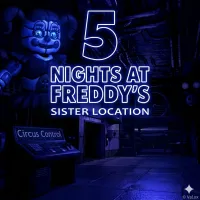
Five Nights at Freddy's: Sister Location










Five Nights at Freddy's: Sister Location
GET TO KNOW FIVE NIGHTS AT FREDDY'S: SISTER LOCATION
Five Nights at Freddy's: Sister Location is a story-driven survival horror game that takes you deep underground for five nights of unusual maintenance work. Instead of staying in one office to watch cameras, you must move between rooms, follow instructions from HandUnit, and react to the dangers around you. Play FNAF Sister Location online in your browser and uncover what happens inside Circus Baby's Entertainment and Rental.
What's Included in Sister Location?
Five Nights at Freddy's: Sister Location combines different tasks, tense encounters, and story events across five nights. Each shift introduces new places to explore and challenges that require more than simply watching for animatronics.
Here is what you can experience in this browser version:
- Five story-driven nights: Complete different assignments throughout the underground facility.
- Two endings: Reach the true ending in the Scooping Room or discover the fake ending through the Private Room.
- Circus Baby minigame: Play an 8-bit minigame that can appear after certain failures and is also available through Extras.
- Three collectible stars: Earn stars by reaching specific milestones in the game.
- Extras menu: Examine five animatronics, view room maps, and replay the Circus Baby minigame.
- Built-in room guide: Check the on-screen instructions to understand the current task and the controls needed to complete it.
The built-in guide is especially useful for newcomers. HandUnit provides spoken instructions, while the additional text guide makes individual tasks easier to follow without requiring you to remember every detail of the dialogue.
HOW TO PLAY FNAF SISTER LOCATION
Complete maintenance tasks across the underground facility while following HandUnit's instructions and avoiding animatronic threats. Each night introduces different challenges.
Starting Your First Night
- Enter the facility: Listen to HandUnit in the elevator. When asked for your name, press keys on the displayed keyboard until the system changes it to "Eggs Benedict."
- Leave the elevator: Press the button beside the door, then use the arrow to step out.
- Complete the control tasks: In Primary Control Module, operate the lights and shock buttons beneath the windows facing Ballora Gallery and Funtime Auditorium.
- Visit Circus Control: Crawl through the lower vent and follow HandUnit's instructions at the control panel.
- Return through the vent: Press S to move backward and finish the first night's assignment.
Later nights introduce more demanding tasks in rooms such as Breaker Room, Parts & Service, and Funtime Auditorium.
Exploring the Rooms
Different rooms in Sister Location require different responses. Knowing what each area demands can help you avoid mistakes.
- Ballora Gallery: Crawl through the dark hallway while listening to Ballora's music. When the music grows louder, stop moving and wait for it to become quieter before continuing.
- Breaker Room: Restore power to the selected areas while monitoring Funtime Freddy. Lower the control panel when necessary and press Space to play the mascot response audio.
- Funtime Auditorium: Move through the dark area with W, turn with A or D, and flash the light with Space. Flashing when Funtime Foxy is directly in front of you can trigger a jumpscare.
- Parts & Service: Follow HandUnit's directions and press the specified points on the animatronic's face, including its cheeks, nose, eyes, and chin.
- Under the table: Hold the metal panel to keep the hatch closed when something tries to open it.
- Springlock suit: During Night 4, alternate between A and D to wind the springlocks. Hold either key to shake off Minireenas, and do not let the springlocks unwind completely.
- Private Room: Monitor the cameras and close the left, right, or upper door when a threat approaches. Power is limited, so unnecessary actions can leave you vulnerable.
When a task seems unclear, check the question-mark guide near the mute button. It provides room-specific instructions and can be toggled on or off.
What Happens in All 5 Nights of Five Nights at Freddy's: Sister Location?
Each night introduces a different task and a new challenge:
- Sister Location Night 1: Learn the controls, operate the Primary Control Module, and complete tasks in Circus Control.
- Sister Location Night 2: Restore power in the Breaker Room, monitor Funtime Freddy, and hide under a table.
- Sister Location Night 3: Cross Funtime Auditorium while avoiding Funtime Foxy, then maintain Funtime Freddy in Parts & Service.
- Sister Location Night 4: Keep the springlocks wound while dealing with Minireenas and Ballora.
- Sister Location Night 5: Return to Parts & Service and choose between the Scooping Room's true ending and the Private Room's fake ending.
Getting caught triggers a jumpscare and a GAME OVER screen. Some failures may lead to the 8-bit Circus Baby minigame.
What to Unlock in Sister Location: Endings, Stars, and Extras
True Ending and Fake Ending
FNAF Sister Location features two endings that you can reach during Night 5. Following Baby's instructions leads to the Scooping Room and the true ending, followed by a bathroom scene and the credits. Alternatively, you can obtain the keycard in Funtime Auditorium and enter the Private Room to unlock the fake ending, which is clearly marked "FAKE ENDING" in the game. Each route offers a different outcome, giving you a reason to explore both paths.
How to Earn All 3 Stars
The stars appear on the title screen as you reach specific milestones:
- First star: Earned after the bathroom scene following the true ending. This also unlocks Extras.
- Second star: Earned by obtaining the keycard.
- Third star: Earned by completing the Private Room.
If you want to see all three stars, completing the true ending alone is not enough. You also need to explore the keycard and Private Room route.
What's in the Extras Menu?
Once unlocked, Extras gives you additional material to explore outside the main nights. It contains five animatronic displays: Circus Baby, Ballora, Funtime Freddy, Funtime Foxy, and Ennard.
You can also view maps for several areas, including the Elevator, Control Module, Circus Control, Breaker Room, and Parts & Service. The menu includes the 8-bit Circus Baby minigame, where you use A and D to move, Shift to jump, and / to throw.
FNAF Sister Location Controls
- Look around: Move the mouse to the screen edges or touch and hold near an edge on mobile.
- Interact: Left-click or tap buttons and keypads.
- Move through vents and Ballora Gallery: Hold W; add Shift to crawl faster.
- Move backward or leave a room: Press S.
- Play audio or flash the light: Press Space.
- Turn in Funtime Auditorium: Press A or D.
- Operate springlocks and shake off Minireenas: Press A or D.
- Play the 8-bit minigame: Use A/D to move, Shift to jump, and / to throw.
- Exit the game: Press Esc, then choose Y or N.
RELATED GAMES
Five Nights at Freddy's and Five Nights at Freddy's: Sister Location are trademarks of Scott Cawthon. This is a fan-made browser version, not affiliated with or endorsed by Scott Cawthon.
Frequently Asked Questions
How Many Nights Are in Sister Location?
FNAF SL has five nights, each with a different task and set of challenges.
How Many Endings Does Sister Location Have?
The game has two endings: the true ending in the Scooping Room and the fake ending in the Private Room.
Does Sister Location Have Custom Night?
No. This browser version does not include Custom Night.
What Name Should You Enter in the Elevator?
You can enter any name. HandUnit eventually replaces it with "Eggs Benedict."
How Do You Unlock Extras in Sister Location?
Extras unlock after you earn the first star by reaching the true ending and completing the bathroom scene.
Does Sister Location Save Your Progress?
Yes. FNAF 5 automatically saves your current night and earns stars in the browser. Clearing browser data or using an incognito tab can cause your progress to be lost.
Can You Play Sister Location on Mobile?
Yes. The game supports phones and tablets in landscape orientation, with touch controls and virtual buttons for the necessary keys. A computer with a keyboard and mouse is generally easier to use.
Do You Need to Download Sister Location?
No. You can play this version directly in your browser without downloading or installing the game.
What Should You Do If You Get Stuck?
Press the question-mark button (?) near the mute control to show the built-in guide. It explains the task and controls for your current room.
Is Sister Location Scary? Is It Suitable for Children?
Sister Location is a survival horror game featuring dark environments, threatening animatronics, and jumpscares. Whether it is suitable for a child depends on their age and sensitivity to frightening content, so parents should consider these elements before allowing them to play.