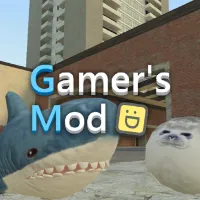
Gamer's Mod






Gamer's Mod
CREATE YOUR OWN CHAOS IN GAMER'S MOD
Gamer's Mod is a 3D physics sandbox where you decide what happens next. Instead of following a fixed story, you can fill a map with objects, spawn characters, build structures, or experiment with weapons and vehicles. The fun comes from turning your own ideas into playable situations, whether that means constructing a base or creating total chaos.
When you want something more structured, switch to the Nextbots or Zombie mode. These options trade open-ended buildings for combat and survival challenges.
THREE DIFFERENT WAYS TO PLAY
- Sandbox Mode: Choose a map and use the spawn tools to place props, furniture, vehicles, NPCs, and other objects. Build a shelter, arrange a garage, or set up your own experiment without following mission objectives.
- Nextbots Mode: Enter an action map and fight incoming Nextbots before time runs out. Your goal is to defeat as many as possible and earn stars, so staying alive while dealing with approaching enemies matters.
- Zombie Mode: Pick a game type and character class, then fight through successive zombie waves. Later waves bring more enemies, and you have only three lives. Friendly soldier NPCs can help you hold back the horde.
Turn Simple Ideas Into Sandbox Experiments
The Sandbox mode gives you room to create your own activities rather than simply complete a level. Start with a few objects and see how they behave when you move, stack, or combine them. You can build ramps, defensive structures, or vehicle setups, then introduce characters and enemies to test what happens.
The physics tools also make trial and error part of the fun. If a structure collapses or your setup does not work as planned, remove objects and adjust the arrangement. You can even spawn explosive items or hostile NPCs to see how your creations handle destruction. There is no single correct design, so each session can follow a different idea.
Controls for Gamer's Mod
- WASD: Move
- Mouse: Look around and perform actions
- Spacebar: Jump
- Shift: Run
- Q: Open the spawn menu
- E: Interact
- Z: Delete your own spawned object
- C: Open the character menu or change the vehicle camera
- V: Toggle flight mode
- R: Reload
- 1-6 / Mouse Wheel: Switch weapons
- Esc: Pause
Tips for Building and Surviving
- Build in small stages: Place a few props first, check their positions, and expand once the setup works.
- Use the delete key when needed: Press Z to remove your own spawned object and revise a layout without starting over.
- Test your creations before adding enemies: Check that ramps, barriers, or escape routes work as intended.
- Keep moving in action modes: Avoid getting trapped in corners when Nextbots approach, and watch for openings to reposition.
- Prepare for later zombie waves: Use the map to your advantage and avoid wasting lives on unnecessary risks.
RELATED GAMES
- People Playground
- Melon Sandbox
- Garry's Mod