
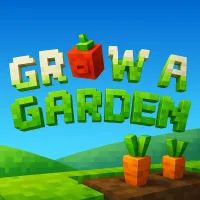
Grow a Garden














Grow a Garden is a Roblox farming simulation built around a simple idea: start with a small plot, grow plants, and turn your harvest into profit. Instead of rushing through levels or fighting enemies, you gradually develop your garden by choosing what to plant and when to harvest.
The game stands out because your garden keeps growing even while you are offline. You can plant before leaving, return later, and find crops ready to collect. If you enjoy slow-paced farming with a steady sense of progression, jump in and start your garden.
HOW TO GROW AND EXPAND YOUR GARDEN
The core loop in Grow a Garden is easy to learn, but your choices become more important as your garden develops. The official Roblox description confirms the basic sequence: buy seeds when the shop restocks, plant them on your farm, wait for them to grow, then harvest the results.
- Buy and plant seeds: Visit the shop, choose available seeds, equip one, then click a brown soil plot to plant it.
- Wait for the right harvest: Different crops take different amounts of time to mature. Check your garden and collect fully grown plants.
- Sell and reinvest: Turn harvested crops into profits, then use your earnings to obtain more valuable seeds and improve your future harvests.
- Watch for rare results: Mutations and special crop variants can make certain harvests more valuable, giving you another reason to pay attention to what grows in your garden.
Make Better Planting Choices
Do not spend all your money on one type of seed. Keep some funds available for useful shop restocks and build your garden around crops that fit your current budget. Since the garden continues growing offline, planting before you leave can also make your return more productive.
Controls
- WASD / Arrow Keys - Move
- Space - Jump
- Mouse - Select, plant, and interact with objects
RELATED GAMES TO GROW A GARDEN
