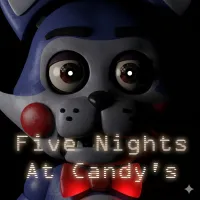
Five Nights at Candy's











Five Nights at Candy's
FIVE NIGHTS AT CANDY'S – SURVIVE THE NIGHT SHIFT AT CANDY'S RESTAURANT
Five Nights at Candy's is a survival horror game that turns an ordinary security job into a frightening overnight challenge. You work at Candy's Burgers & Fries, where the friendly-looking animatronics become active after closing time. Your task is to monitor their movements, protect the security office and make it through each shift until 6 AM. With seven unusual characters, three entrances, twelve security cameras and limited power, every decision can affect your chances of survival.
Meet the Seven Animatronics in Five Nights at Candy's
Seven animatronics roam around the restaurant after closing time. Each has different behaviors and warning signs, so players need to understand how to deal with them.
| Animatronic | Behavior and Warning Signs |
|---|---|
| Candy | Approaches the office through the side entrance. Watch for his eyes at the doorway. |
| Cindy | Also approaches through a side entrance. Her eyes provide a warning when she gets close |
| Chester | Joins the action during Night 2 and becomes another threat to monitor. |
| Penguin | Does not directly kill the guard. Once inside the office, he opens and closes doors while the monitor is raised. |
| Old Candy | Uses sound to signal his presence, so pay attention to noises around the office. |
| The Rat | Relies on audio cues to reveal his approach rather than visible eyes at the doorway. |
| Blank | Starts in the Drawing Room on CAM 11. Use Night Vision to keep him still and close the middle shutter when he reaches the window. |
HOW TO PLAY FIVE NIGHTS AT CANDY'S
Your goal is to survive each night until 6 AM. Follow these steps to stay safe:
- Check the Cameras: Use the 12 cameras to track animatronics around the restaurant. Turn on Night Vision to see dark areas, but remember that it uses extra power.
- Control the Three Doors: Use the left and right doors to stop approaching animatronics. Close the middle shutter when Blank reaches the window.
- Save Your Power: The office starts with 3,600 power units. The monitor, Night Vision and closed doors all consume electricity, so use them carefully.
- Watch for Danger: Pay attention to eyes at the doorways and sounds around the office. Open doors when it is safe, as keeping them closed too long drains more power. If power runs out, all doors open and the monitor stops working.
Story Mode: Survive Five Nights
Five Nights at Candy's offers several challenges beyond the main story. Story Mode includes five nights with increasing difficulty, and each victory unlocks a recovered tape. After Night 5, players can access the 6th Night, where all seven animatronics are active from the start. Completing it unlocks Custom Night, allowing players to set each character's difficulty from 0 to 20. Beating the 7/20 challenge earns the third star and a special ending picture. Players can also explore the Extra section, which contains the animatronic gallery, nine jump scares and development sketches.
Controls for Five Nights at Candy's
You can operate the security office using a keyboard, mouse or touchscreen. The keyboard controls are particularly useful when you need to react quickly.
- Left / Right Arrows or A / D: Look left and right.
- Space or S: Open the monitor.
- Q: Open or close the left door.
- W: Open or close the middle shutter.
- E: Open or close the right door.
- 1–9, 0, -, =: Switch between security cameras.
- N: Activate Night Vision.
- M: Mute the phone call.
What Makes Five Nights at Candy's Different?
Five Nights at Candy's builds its horror around resource management and observation rather than direct combat. Several design choices give the experience its own identity.
- Three defensive entrances: The extra middle shutter changes how players protect the office and respond to Blank.
- Different animatronic behaviors: Seven characters bring different movement patterns and warning signs.
- Dark security feeds: Night Vision makes camera monitoring an active decision instead of a simple way to observe the restaurant.
- Constant power pressure: Every door, camera check and defensive action contributes to the challenge of surviving until morning.
- Story rewards: Recovered tapes gradually add more context to the experience, while additional modes provide reasons to keep playing.
The atmosphere also plays an important role. Static-filled camera feeds, flickering lights, mechanical noises and sudden visual interruptions make even a quiet moment feel uncomfortable. The contrast between the restaurant's cheerful appearance and its nighttime behavior gives the game a memorable horror setting
FNAF-STYLE SURVIVAL HORROR GAMES
A tense first-person survival challenge where you monitor cameras, manage limited resources, and endure escalating animatronic threats night after night. Games to try: Five Nights at Freddy’s, Five Nights at Freddy’s 2, FNAF Plus
Frequently Asked Questions
How Many Nights Are in Five Nights at Candy's?
The main Story Mode contains five nights. After completing them, players can unlock the 6th Night and then Custom Night, which includes adjustable difficulty settings and the 7/20 challenge.
How Many Animatronics Are in the Game?
There are seven animatronics: Candy, Cindy, Chester, Penguin, Old Candy, The Rat and Blank. Each has different behaviors that affect how players should defend the office.
How Long Does Each Night Last?
Each night lasts approximately 8 minutes and 55 seconds, covering the in-game period from 12 AM to 6 AM.
What Happens When the Power Runs Out?
When the power supply reaches zero, the monitor shuts down and all three entrances open. The office lights begin flickering, leaving you exposed to the animatronics.
What Is the 7/20 Challenge?
The 7/20 challenge is a Custom Night preset in which all seven animatronics are set to difficulty level 20. Beating it awards the third star and a special ending picture.
Does Five Nights at Candy's Have Extra Content?
Yes. After completing the 6th Night, players can access the Extra section, which contains character galleries, nine jump scares and development sketches.