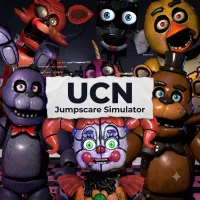
UCN Jumpscare Simulator


UCN Jumpscare Simulator
INTRODUCTION TO UCN JUMPSCARE SIMULATOR
UCN Jumpscare Simulator is a fan-made horror simulator inspired by Ultimate Custom Night, designed for players who want to explore the iconic animatronics without the pressure of traditional survival gameplay. Instead of managing cameras, power, or complicated mechanics, the game focuses on showcasing character animations, sound effects, and memorable moments from across the Five Nights at Freddy's universe.
Whether you're a longtime FNAF fan or simply curious about the series' famous characters, UCN Jumpscare Simulator offers a quick and accessible way to experience them all in one place.
Discover the Ultimate FNAF Character Collection
One of the game's biggest attractions is its extensive roster of animatronics. From classic favorites like Freddy Fazbear, Bonnie, Chica, and Foxy to well-known variants such as Golden Freddy, Puppet, Mangle, Nightmare Freddy, and many others, players can instantly explore a wide range of characters without unlocking them through progression.
Each character features its own animations, sound effects, and personality, making every selection feel unique.
HOW TO PLAY UCN JUMPSCARE SIMULATOR
Unlike the original Ultimate Custom Night, which challenges players to survive increasingly difficult nights, UCN Jumpscare Simulator is designed as a collection of interactive character showcases. The experience emphasizes exploration, customization, and entertainment, allowing players to freely enjoy each animatronic's signature presentation at their own pace.
- Choose Any Animatronic Instantly - Browse a large character library and select your favorite animatronic with a single click. There's no need to unlock content through gameplay, making it easy to compare animations, visual designs, and voice performances across the entire roster.
- Experience Interactive Character Showcases - Every animatronic features distinctive animations, sound effects, and voice lines inspired by the original games. Some versions also introduce simple reaction-based interactions, encouraging players to respond to visual cues or timed events for a more engaging experience.
- Customize Your Own Challenge - Depending on the version, players can adjust character difficulty, combine multiple animatronics, or experiment with different settings to create unique scenarios. These customization options add replay value while letting both newcomers and longtime fans enjoy the simulator in their own way.
Controls
The controls are intentionally simple, making the simulator accessible for players of all experience levels.
- Mouse - Navigate menus and select characters.
- Left Click - Activate animations and interact with the interface.
- Keyboard - Used for certain settings or quick navigation (depending on the version).
- Esc - Return to the previous menu when available.
RELATED GAMES