
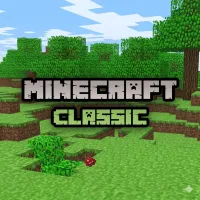
Minecraft Classic











Minecraft Classic delivers a simple yet highly creative sandbox experience where players can shape the world block by block. Enter a compact open map filled with forests, caves, hills, and oceans while enjoying unlimited building freedom. Since there are no survival mechanics or dangerous enemies, the game focuses entirely on creativity, exploration, and experimentation.
Every player has instant access to all available blocks, making construction quick and enjoyable. Whether you want to create giant castles, underground tunnels, or artistic landscapes, Minecraft Classic provides a relaxing environment for endless imagination. Jump into the blocky world and start building your own creations today!
EXPLORE AND CREATE WITHOUT LIMITS
The main gameplay of Minecraft Classic centers around discovering the map and constructing unique structures. Players can instantly break blocks and place new ones anywhere, allowing complete freedom when designing buildings, pathways, or creative environments.
Because the world size is limited, planning your space carefully becomes an important part of the experience. Instead of focusing on survival challenges, the game encourages experimentation and creative problem-solving through simple sandbox mechanics. Water and lava also add more depth to construction projects. These flowing liquids spread naturally across the terrain, allowing players to build rivers, pools, decorative effects, or environmental obstacles. TNT introduces small explosions that can reshape areas quickly, while decorative items like flowers and mushrooms help make the environment feel more lively and colorful.
Memorable Sandbox Features
- Basic Blocks (Building & Removing): Use classic blocks such as grass, dirt, stone, gold, and iron to create houses, towers, bridges, and custom landscapes.
- Water and Lava Mechanics: Experiment with flowing liquids to design lakes, waterfalls, traps, or creative environmental effects inside your world.
- Decorative Nature Items: Place mushrooms, flowers, and other natural objects around the map to improve scenery and personalize your creations.
Simple And Accessible Controls
Minecraft Classic keeps its controls easy to learn, allowing players to jump into the sandbox experience immediately.
- Mouse: Rotate camera view
- WASD / Arrow Keys: Move character
- Spacebar: Jump
- Left Click / Right Click: Place or remove blocks
- B Key: Open block selection menu
- T Key: Open chat
- F Key: Adjust fog distance
RELATED GAMES
